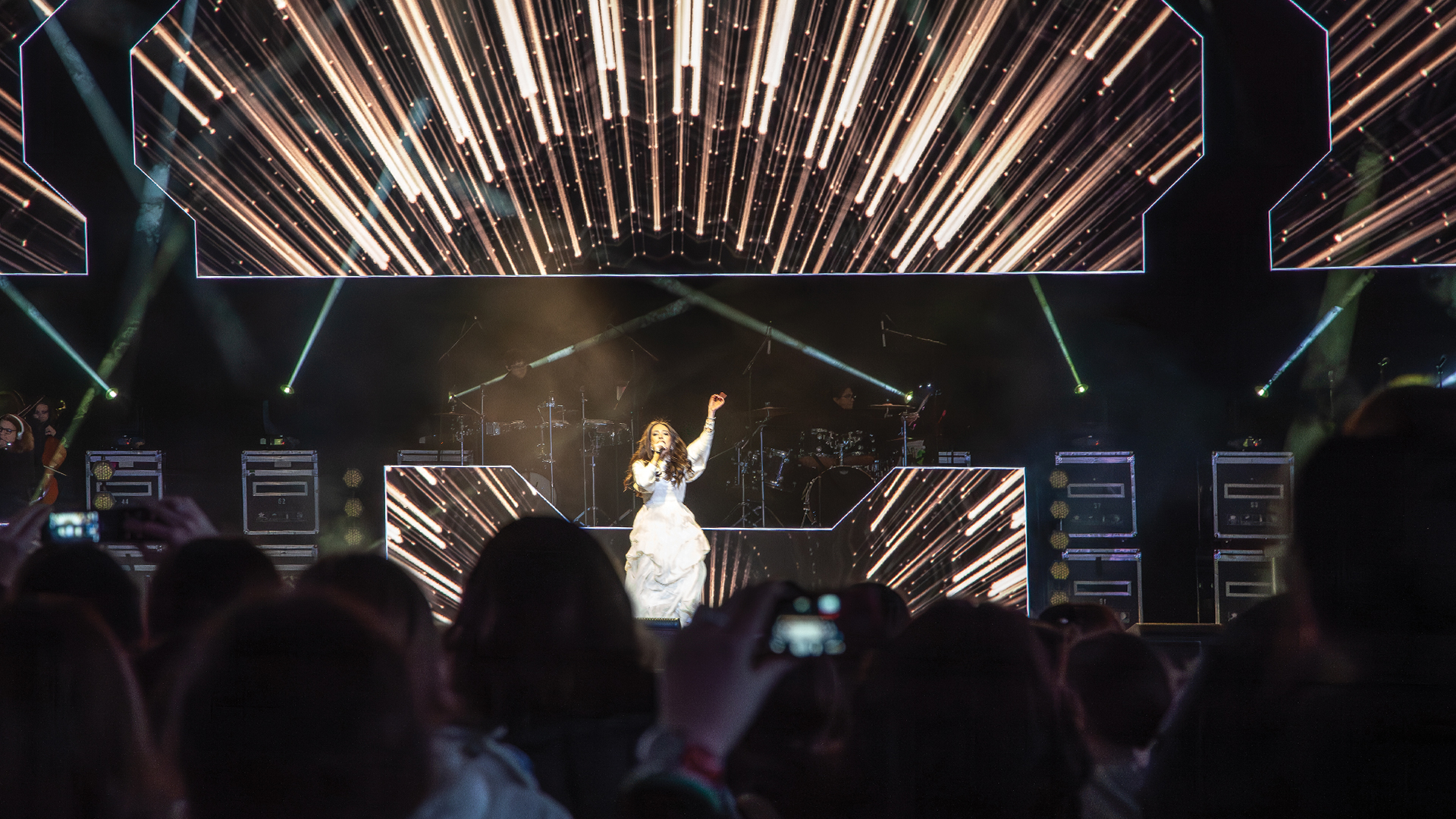
The evolution of multi-screen video production from broadcast control room origins to the sprawling, multi-surface environments of contemporary live events represents one of the most technically sophisticated transitions in the industry’s history. Where a 1990s corporate show might have featured a single projection screen driven by a VHS deck, a contemporary production might involve a dozen independent display surfaces, simultaneous live camera feeds, real-time generative content, and a switching environment routing different content to different screens moment by moment throughout the show.
Managing this complexity demands not just the right equipment but the right system architecture, the right operational workflow, and a control philosophy — a set of principles determining how signals are organized, routed, and commanded across the entire display ecosystem. Productions that build this architecture deliberately perform reliably under pressure. Those that improvise it pay for that decision in front of the audience.
Defining the Output Map
Before a cable is pulled or a parameter is programmed, the output map must be defined in full. This document — sometimes called a screen matrix or display schedule — identifies every display surface in the production: its physical dimensions and pixel resolution, its position relative to the stage, its technical feed requirements, and its role in the content design.
A typical large-scale corporate general session might include a main IMAG screen pair flanking the stage, a scenic LED upstage wall, breakout display monitors in the wings, confidence monitors at podium and presenter positions, broadcast feeds to overflow rooms, and a broadcast record output. Each is a distinct output with distinct technical specifications. The output map gives every department — video direction, media server operation, switching, signal distribution — a single shared reference document that governs all technical decisions.
The Video Switcher: Heart of the Control System
The mixing console equivalent for video production is the video switcher. In live event production, the dominant platforms are the Barco E2 and S3 Event Master series, the Christie Spyder X80, and the Ross Video Carbonite Ultra family. Each represents a distinct operational philosophy that shapes how video production is structured.
The Barco E2 functions as a multi-layer compositing engine — it can receive multiple inputs and simultaneously output independent compositions to multiple screens, making it the dominant choice for complex multi-surface productions where different displays need different combinations of content in real time. Its Preset and Live architecture — building transitions between program states — mirrors a broadcast production workflow with significantly greater output flexibility.
The Ross Video Carbonite Ultra applies conventional M/E (Mix/Effect) architecture to live event switching. For productions with strong broadcast integration — award shows, televised corporate events, hybrid in-person and streaming productions — the Carbonite’s broadcast workflow fluency is a meaningful operational advantage that reduces the training gap for operators with broadcast backgrounds.
Media Server Integration Strategy
The media server layer sits upstream of the switcher, delivering pre-produced and real-time generative content. The relationship between media server and switcher is a critical design decision affecting both signal quality and operational flexibility.
In the disguise (d3) ecosystem, the media server can drive LED surfaces directly through gx output servers, bypassing the switcher entirely for displays dedicated to pre-produced content. This reduces latency and preserves signal quality by eliminating an unnecessary conversion step. For surfaces that need to show either media server content or live switched sources — the main IMAG screen — the media server output feeds the switcher as one of many inputs.
The Green Hippo Hippotizer Boreal+ and Resolume Avenue typically integrate as content playback servers whose outputs are treated as additional sources in the switching matrix. Resolume’s layer-based composition model is particularly popular with video directors who prefer an improvisational real-time performance approach over pre-programmed cue sequences — a different creative workflow that serves different show types exceptionally well.
Signal Distribution for Multi-Screen Systems
Distributing signals from the switcher to multiple display surfaces requires a distribution layer handling format, resolution, and distance requirements of each output. For fixed-installation productions, fiber optic signal transport via SMPTE 311M hybrid fiber cable or pure data fiber with external converters allows signal runs of hundreds of meters without quality loss — the standard approach for convention center and large venue productions.
For AV-over-IP distribution, SDVoE (Software Defined Video over Ethernet) from ZeeVee and Semtech enables uncompressed 4K video distribution over standard 10Gbps ethernet infrastructure. This approach is increasingly deployed in conference facilities where a permanent ethernet backbone serves as the distribution medium for all AV signals. HDMI 2.1 and DisplayPort 1.4 extenders over HDBaseT remain standard for shorter production runs where the infrastructure investment of fiber is not justified.
Camera Systems and IMAG Direction
The IMAG system — live camera magnification of stage action — requires its own operational layer. Color matching between cameras feeding the IMAG system is a basic professional requirement: a cut between cameras that produces a visible color or exposure discontinuity is immediately noticeable on a large screen and reflects poorly on both the video director and the production company.
Camera matching is managed through a camera control unit (CCU) system — platforms from Sony HDCU series, Grass Valley LDK, or Ikegami HDK allow a shader operator to match iris, color balance, and gain across all cameras simultaneously from a single position. The shader role — borrowed directly from broadcast television — is a standard crew position on any production where visual consistency across multiple camera sources is a contractual or broadcast requirement.
Show Control Integration for Multi-Screen Systems
On productions with complex coordinated cue sequences, show control integration transforms multi-screen video from a manually operated system into a precisely timed automated one. Platforms like Medialon Manager, Alcorn McBride V16X, and the disguise timeline engine can trigger video events via MIDI, OSC, RS-232, or ethernet API calls — coordinating video cues with audio, lighting, and automation in a single synchronized timeline.
For opening ceremonies, multimedia concerts, and award show production numbers, show control integration is not a convenience — it is a prerequisite for consistent, repeatable execution. A manually operated system depends on human reaction time for every cue. An automated show control system delivers frame-accurate repeatability across every performance, every rehearsal, and every broadcast take.
Pre-Show Verification Protocol
A multi-screen video system requires a structured pre-show verification protocol covering every output, every signal path, and every control interface before the audience enters. The verification sequence should follow source-to-screen: confirm at each stage that the signal is present, the format is correct, the color space matches the display calibration, and the physical display is operating without module or pixel failures.
On LED wall systems, this includes a full-white field test revealing dead pixels or modules, a full-black field test revealing ghost illumination, and a color balance check using calibrated reference test patterns from the switcher. On projection systems, the alignment check confirms edge blending on multi-projector arrays and keystone correction on off-axis installations. This protocol, executed consistently before every show day, is the operational foundation of professional video production.
